Lead Scoring: Marketing → Sales
Scores each new Zoho CRM lead from 0 to 90 on budget, urgency, company size and engagement, then routes it. Sales-ready leads alert sales, nurture leads alert marketing, incomplete leads are flagged, and the rest are recorded quietly.
All 7 builds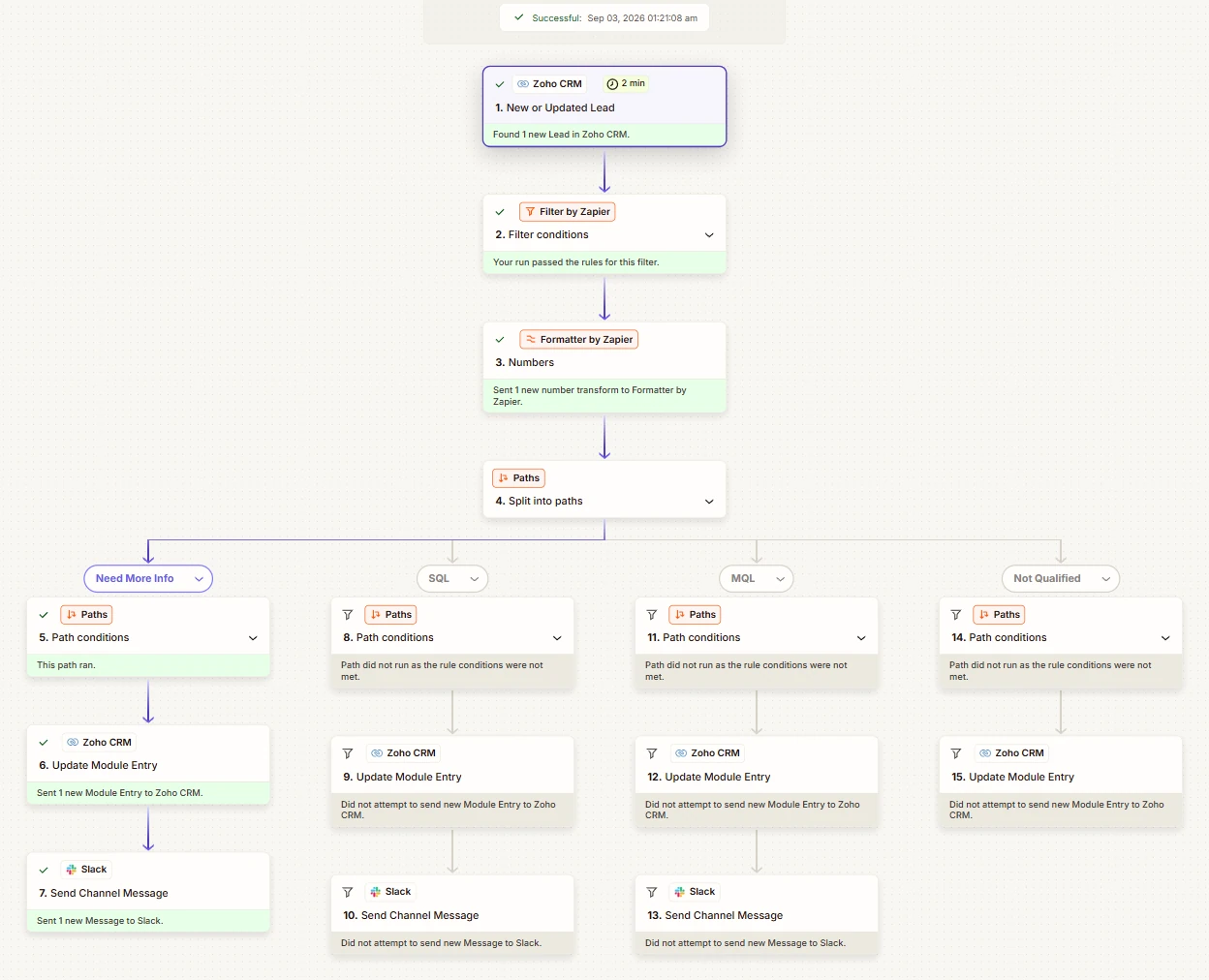
- 0–90 score range from four weighted fields
- 7/7 live scenarios routed correctly
- 3 bugs root-caused from run data
The problem
Not every raised hand deserves a call
An MQL has shown interest but isn’t ready to buy. An SQL has budget, urgency and the right size. Sending an MQL to sales wastes a call; leaving an SQL in a nurture sequence lets a hot prospect cool off.
This Zap catches the moment a lead crosses that line and routes it immediately, instead of at next week’s pipeline review.
The score
Four fields, one number, four doors
| Field | Condition | Points |
|---|---|---|
| Budget | $20,000+ | +30 |
| Budget | $5,000–$20,000 | +15 |
| Urgency | Ready this quarter | +25 |
| Urgency | Evaluating, 6 months | +10 |
| Company size | 200+ employees | +20 |
| Company size | 50–199 | +10 |
| Company size | Under 50 | +5 |
| Engagement | Downloaded pricing or requested a demo | +15 |
SQL · 65–90
Urgent Slack alert to sales, CRM updated.
MQL · 35–64
Keep-nurturing alert, CRM updated.
Unqualified · 0–34
CRM updated, no alert.
Needs More Info
Budget or urgency blank: never scored, flagged to marketing.
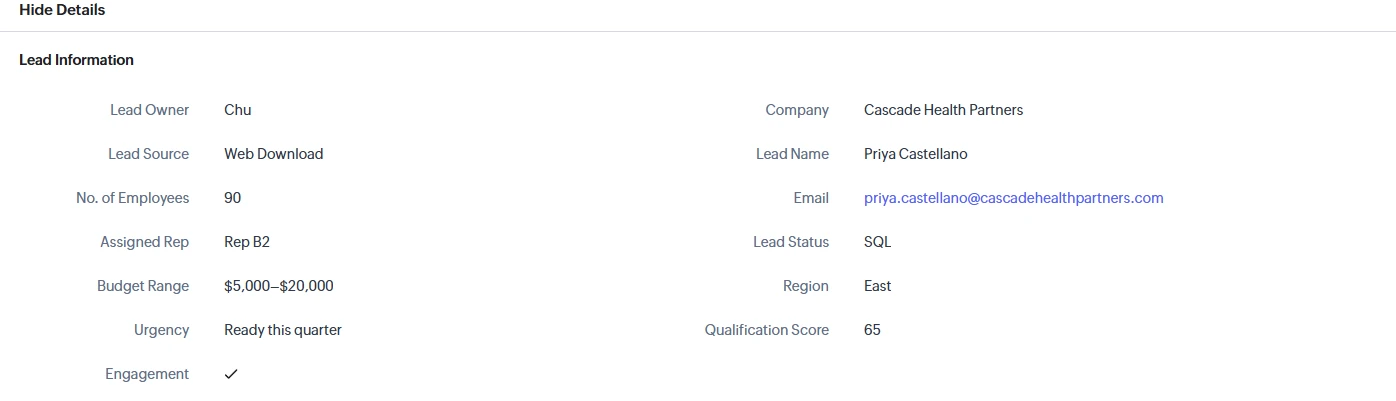
Every point value is a multiple of 5, so every score is too. That decided which exact boundary values to test.
Under the hood
One formula decides everything
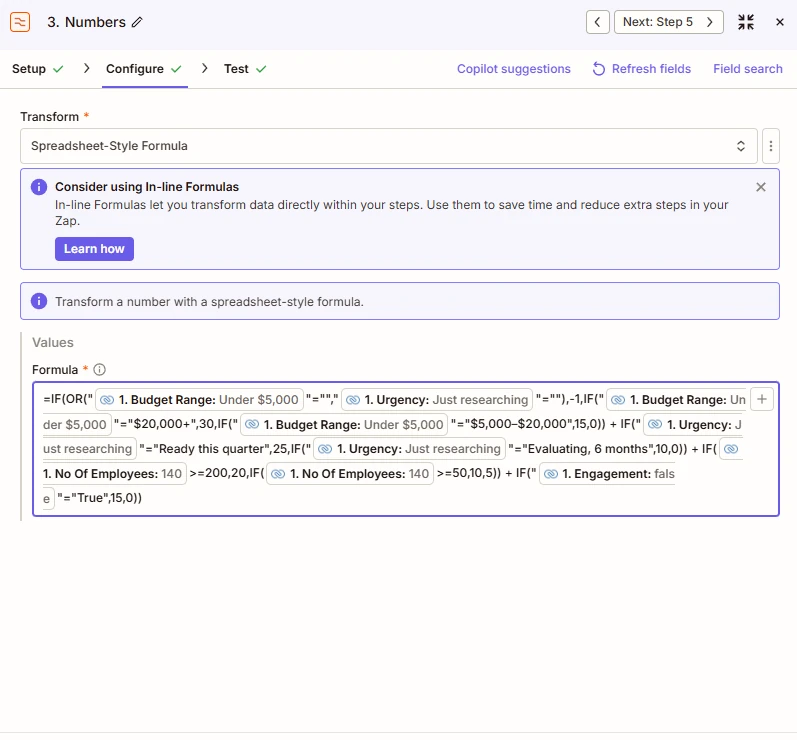
Step 3 · Formatter formula with the blank-field guard
IF(OR([Budget]="",[Urgency]=""), -1, <score formula>)Live test
Seven leads, seven outcomes
| Lead | Score | Outcome | What it proves |
|---|---|---|---|
| BrightPeak Retail | 90 | SQL | Maximum score |
| Solvano Freight | 60 | MQL | 1,200 employees; also routed to Rep C by the Lead Router |
| Cascade Health Partners | 65 | SQL | Exact SQL threshold |
| Northline Logistics | 35 | MQL | Exact MQL threshold |
| Marrow Creative Studio | 30 | Unqualified | One step below MQL |
| Fernwood Design Co. | 5 | Unqualified | Minimum score |
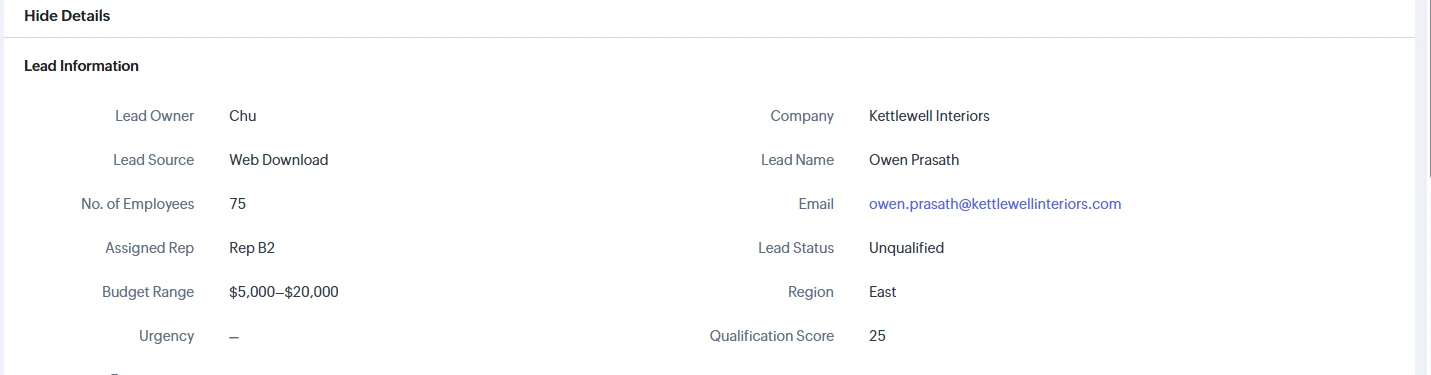
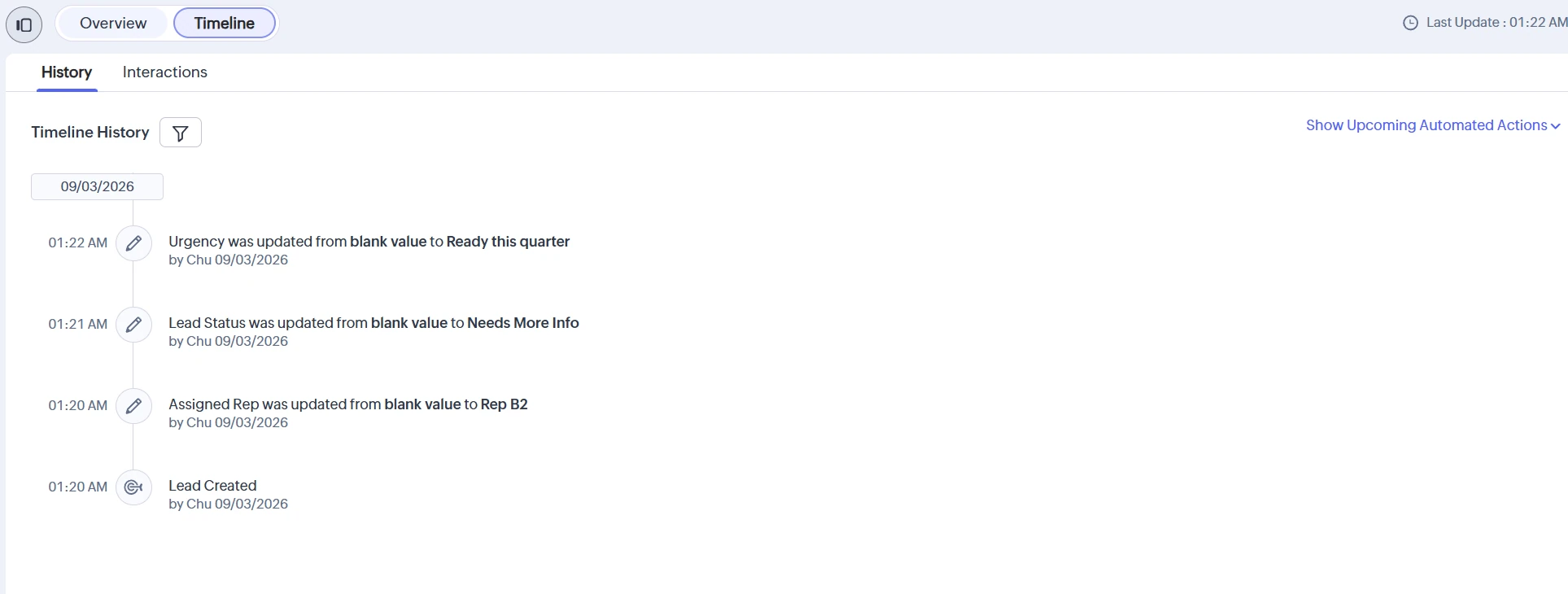
| Kettlewell Interiors | — | Needs More Info | Missing urgency, correctly not scored |


What broke
Three bugs, each traced from a real run
The checkbox that wasn’t true or false
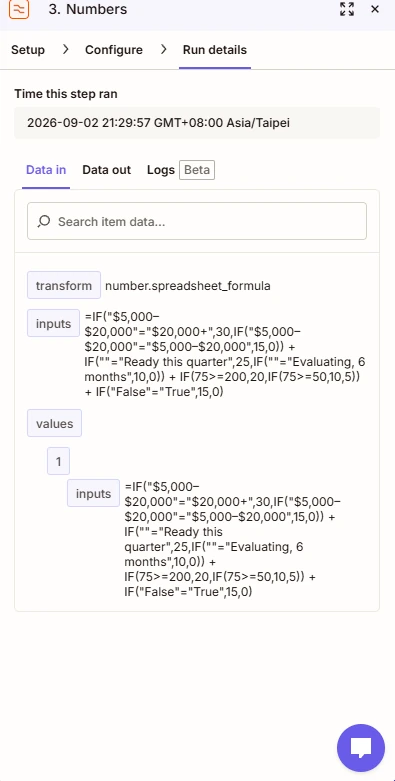
A checked Engagement box scored 0. The formula compared against lowercase “true”; Zoho actually sends “True”. I found it by reading the resolved formula in a real run instead of guessing from the field type.
Read what the run actually received.
A routing rule I couldn’t inspect
A lead with blank urgency scored 25 and landed in Unqualified. The Paths rules looked right, but Zapier doesn’t show what a path rule saw at runtime. I moved blank detection into the formula, which returns −1, and made every path check only that number.
Move logic to a layer you can observe.
A filter gap and a platform limit, from one test
Filling in Kettlewell’s urgency never re-scored it. First, the loop guard only allowed a blank status, and Kettlewell’s was already “Needs More Info”, so I widened it. Even then it didn’t fire: across the build, new-lead tests fired 6 of 6 and updated-lead tests 0 of 4. The instant trigger that fixes this needs a paid Zoho plan, so it’s documented as a limitation; the logic itself was confirmed by step-level tests.
Smaller gotchas
CRM naming collisions
Zoho reserves “Lead Score”
It belongs to Zoho’s own scoring feature, so the field became “Qualification Score”.
A leftover Blueprint on Lead Status
An inactive process from account setup was attached to the field; removed before reusing it for MQL/SQL.
TaskFlow and every company and person shown are fictional mock data. Built on Zoho CRM Free, Slack and a Zapier Professional trial; the Zaps are switched off now the trial has ended, and every screenshot comes from the real Zapier, Zoho and Slack accounts.
Next build · 03 / 07
Stalled Deal Detector
Hiring, or have a process to automate?