School Tuition Ledger
A six-workflow n8n system that moved a school’s tuition collection, its accounts receivable (AR), off scattered manual tracking and onto one automated ledger, with a person approving every payment. A web app added in October 2026 gives the accounting office one place to encode, approve and look things up, without changing how the automations work.

- Under 1 min to record a confirmed payment, down from 5–10
- 400+ student accounts, kinder to grade 10
- Under 3 weeks from first meeting to going live
- 0 payments approved by the automation itself
The problem
No single source of truth
Payments taken at the counter weren’t in the official ledger until someone copied them over by hand. Parents had no consistent receipt or reminder, and leadership’s monthly collection report was compiled manually.
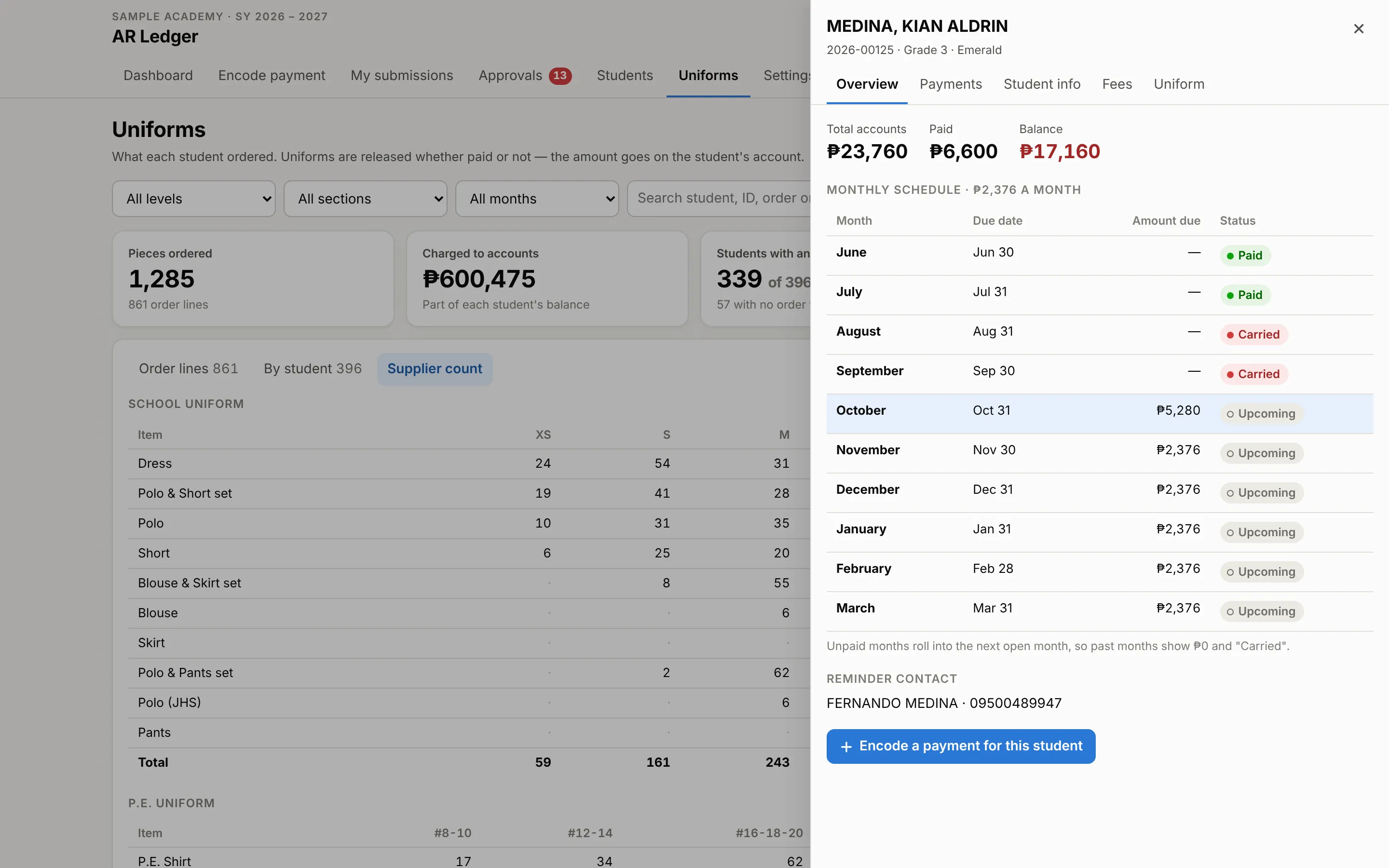
The billing model made it harder. Tuition is spread over ten months, June to March, and a missed month isn’t its own overdue line: it rolls into the next open month. Tracking that by hand across hundreds of accounts is slow, and every mistake costs the school money.
What I built
One approval, six automations
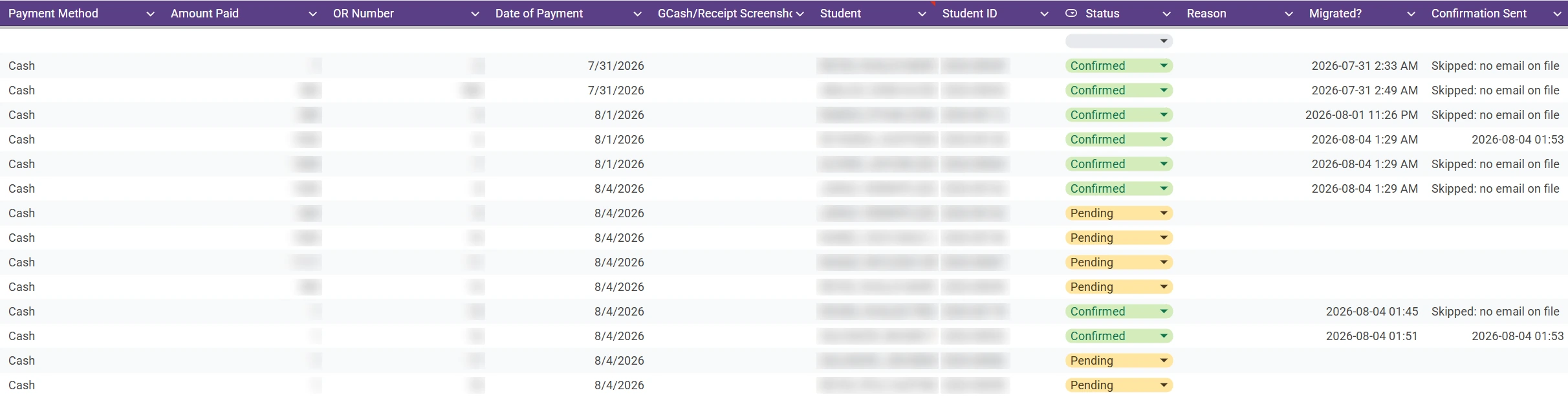
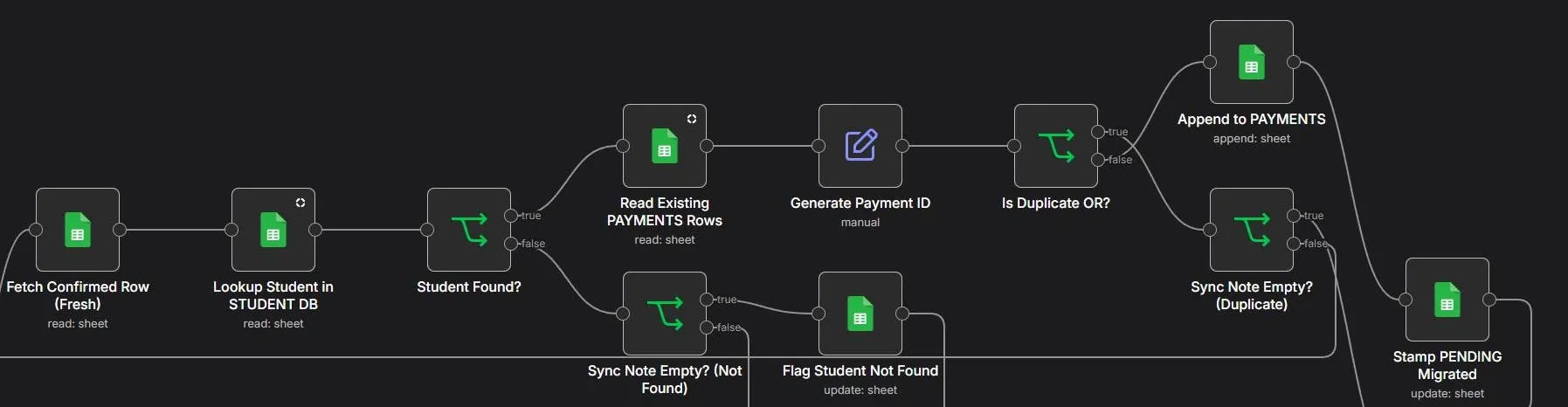
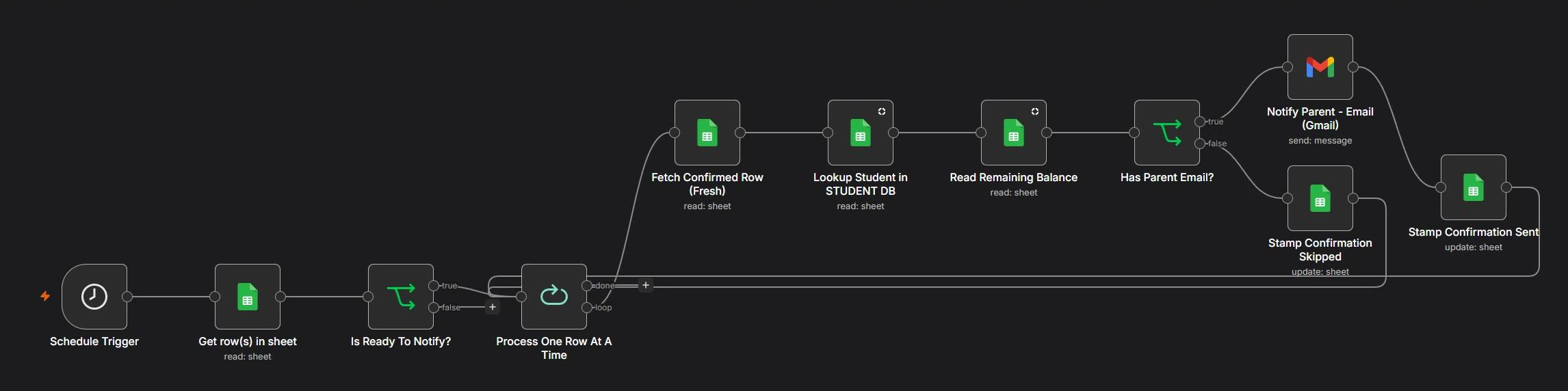
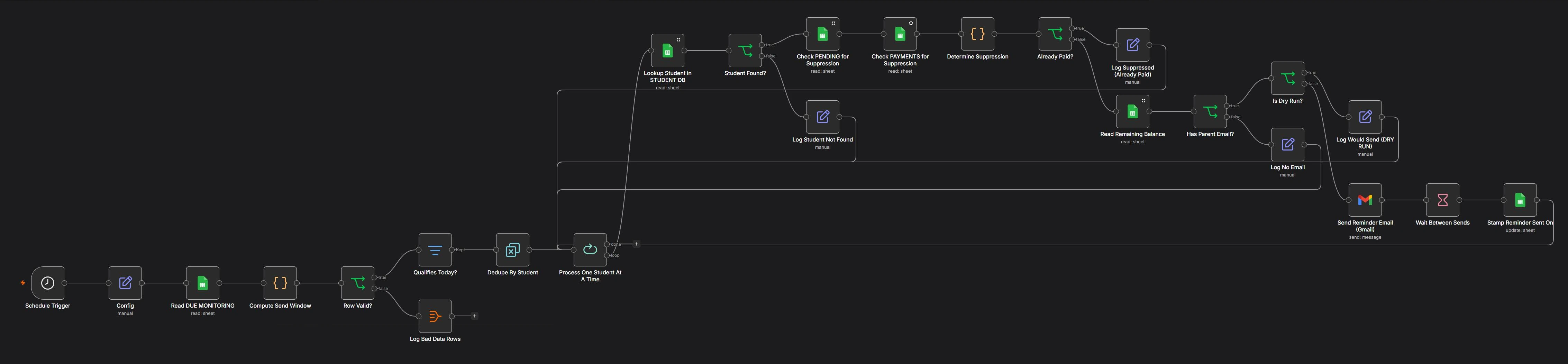
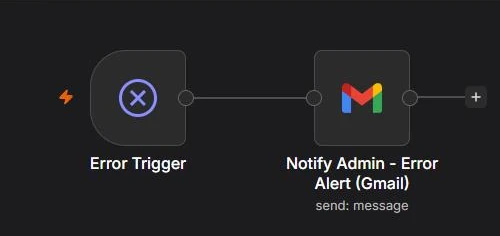
A payment is logged, through a Google Form at first and the web app since October 2026. It lands in a pending queue. The head accountant reviews it and marks it confirmed. From that one confirmation, n8n does the rest.
Show the other five workflowsHide them


The web app
October 2026 · live since Oct 24
A front desk for the office
Three months in, the automations ran on their own, but the office still worked inside the spreadsheet. Payments came in through a Google Form. Approving one meant changing a cell. Adding a student meant typing rows across four tabs, and uniform orders were sizes typed into cells.
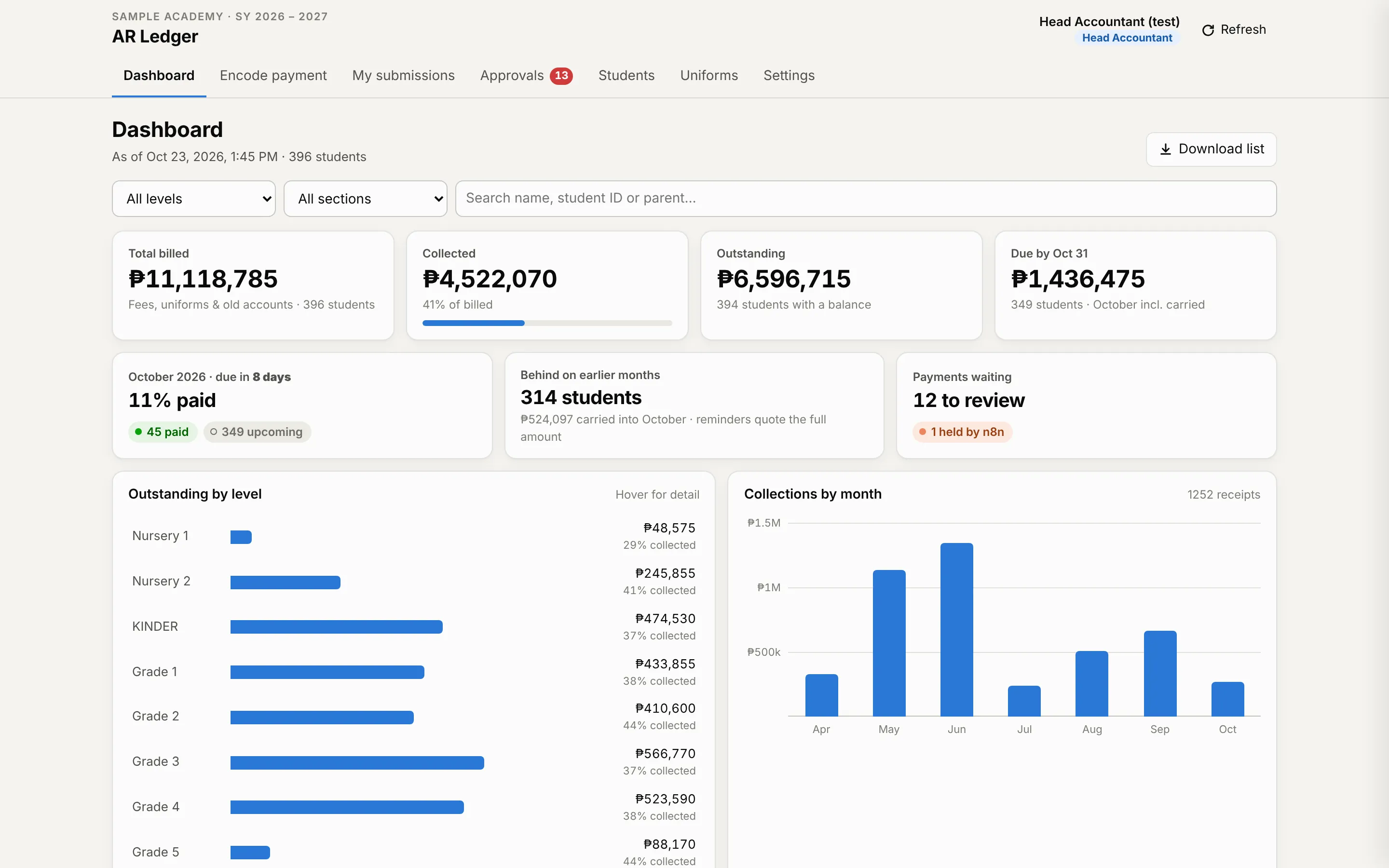
So I built a web app on top of the same Google Sheet: one screen for the accountant who encodes, and one for the head accountant who approves. The six n8n workflows didn’t change. The app writes each payment into the same pending queue the Google Form used, in the same format, so n8n picks it up exactly as before. It just arrives cleaner.
Switch between the two roles. Nothing is saved.
Try it here
The working app on a made-up school. Use the switcher at the top to change roles. Nothing is saved.
Show 4 more screensHide them
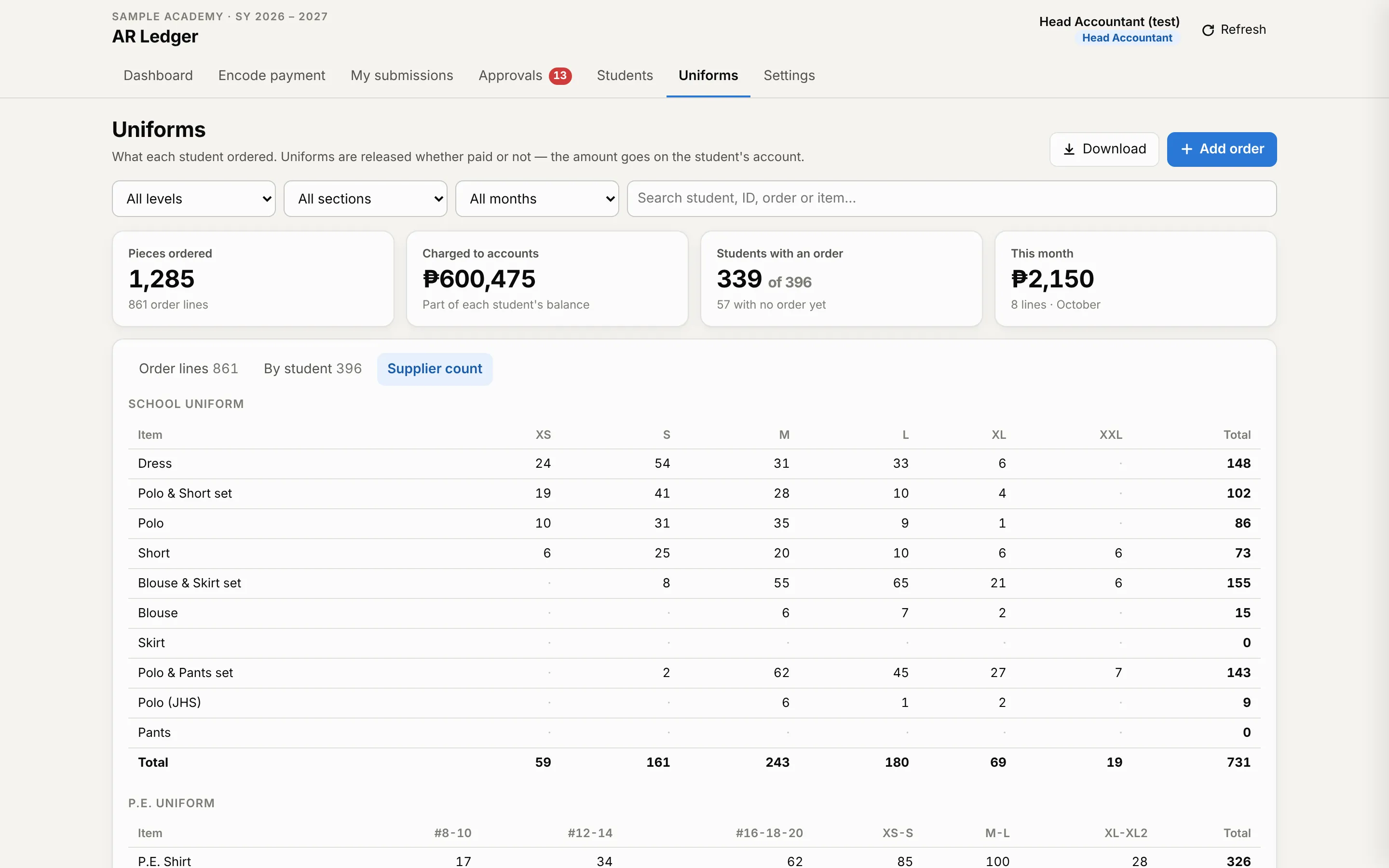
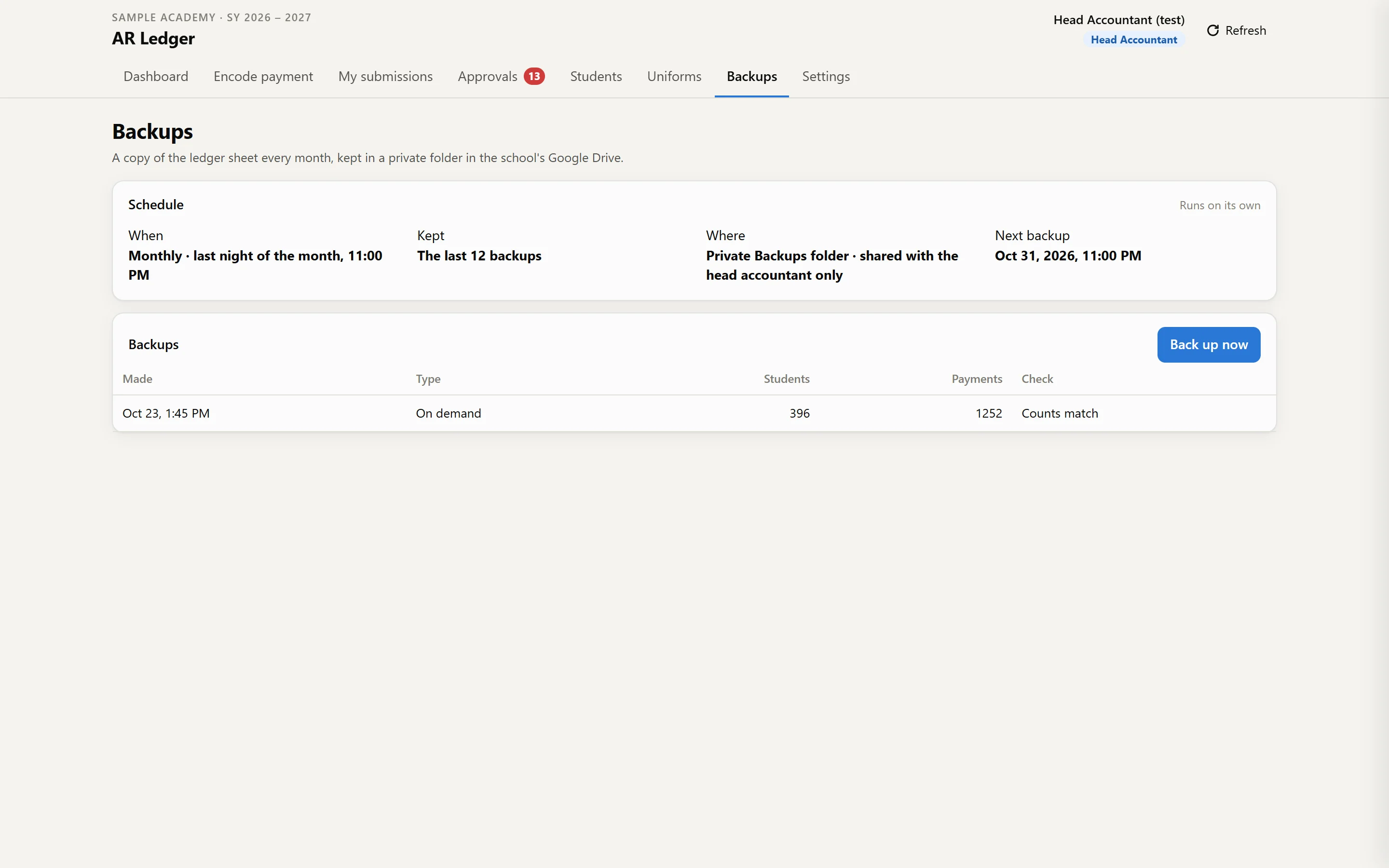
Two roles, two screens
Accountant
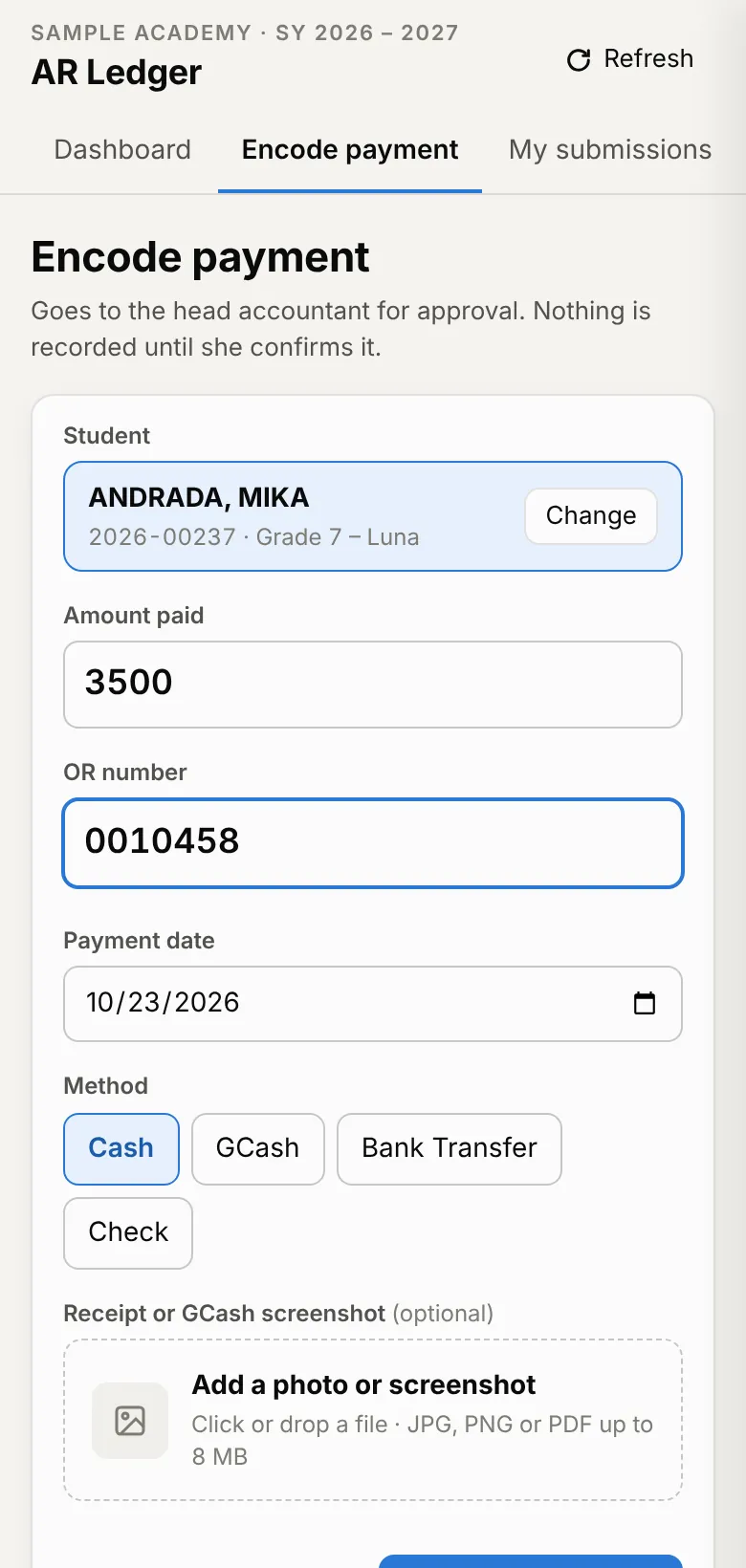
- Encodes payments with the OR number and GCash screenshot
- Sees each student’s balance and what’s due before saving
- Fixes and resubmits anything sent back
- Logs uniform orders
Head accountant
- Approves payments, one at a time or all at once
- Adds new students in one form instead of four tabs
- Sets the school year’s due dates and reminder timing
- Manages who can sign in, and sees every change in an activity log
- Backs up the ledger: monthly on its own, or on demand
How it was built and tested
A simulated school year first. Before touching the school’s sheet, the app ran on a copy with 396 students, 1,252 payments and 861 uniform order lines, June to October. Approved payments and the ledger matched to the peso.
Built with AI assistance. I wrote the requirements and made the design decisions: what the app may and may never write, the two-person rule, the uniform rework. Most of the code was written with Claude, an AI assistant, and I reviewed it, tested it on the simulated year, and deployed it.
No new running costs for the app. It runs as Google Apps Script inside the school’s own Google account, next to the sheet it already uses.
Key decisions
Automate around the decision
A person approves every payment
This was the school’s call, and it’s the same two-step check accountants use: one person records, another confirms. n8n can’t check that money actually arrived, whether cash at the counter or a GCash screenshot, so it never confirms a payment on its own.
Two people per payment, enforced
The school’s rule used to depend on habit. Now the person who encodes a payment can’t approve it.
The app never records money
n8n is still the only thing that writes to the payment ledger. The app can only add a payment to the queue and mark it confirmed or rejected, so the old workflows keep working untouched.
Money and email never share a workflow
More workflows to maintain, but the ledger can’t be held up by the part that’s allowed to be flaky.
Show 8 moreHide them
Automate the work, not the control
People still enter and confirm each payment. Everything after the confirmation (the ledger entry, the receipt, reminders and reports) runs on its own.
Gap-free IDs, one batch at a time
Each sync run takes the highest existing ID and counts up, processing confirmations as one batch so IDs stay sequential.
A schedule over a native trigger
Reading and filtering the sheet every two minutes proved more reliable than the Sheets row-update trigger.
A dropdown that only lists real students
Apps Script fills the payment form with the live roster, so a payment can’t be logged against a mistyped name.
Mistakes caught while typing
OR numbers are checked against every past and pending payment, and the approval screen flags a missing screenshot, an amount over the balance, or the same amount twice in three days.
Uniforms became order lines
Each item is its own line, charged to the student’s account. The office gets a supplier count by size, and the balance stays correct when an order changes.
Backups stay in the school’s account
Each month a copy of the ledger is saved to a private folder in the school’s own Google Drive, shared only with the head accountant. The last 12 are kept.
Columns found by name, not position
The live sheet isn’t laid out exactly like my test copy. The app looks up every column by its header, so it works on both.
What broke
Bugs only real data could show
An empty lookup silently stopped everything after it
When a Sheets lookup found no rows, n8n halted the rest of the workflow with no error and no log. It showed up across most of the six workflows. The fix was one setting, applied to every lookup, so “nothing pending today” is handled on purpose.
Low-code tools can fail without saying so.
Two grade levels showed 0% collected
The report assumed grade names that didn’t match the real roster (“Nursery 1”, “KINDER”). Groupings now come from the roster itself instead of a hardcoded list.
Test data catches logic errors. Only real data catches data errors.
Outcome
What changed
Confirmed payments reach the ledger automatically, with no re-typing.
Parents with an email on file get receipts and reminders without staff sending them, and two recurring manual reports are gone.
Payments are encoded and approved in one app. The Google Form is closed, so every payment passes the same checks before anyone confirms it.
The school’s rule that a person approves every payment stayed in place, and the app now enforces it: whoever encodes a payment can’t approve it.
Uniform orders are charged to the student’s account, and a copy of the ledger is saved every month.
Time per task, before and after
| Task | Before | After |
|---|---|---|
| Recording a confirmed payment | ~5–10 min | ~30 sec–1 min |
| Approving the day’s payments | ~25 min | ~8 min |
| Checking pending or unconfirmed payments | ~30–60 min a day | ~5–10 min a day |
| Checking a student’s payment history or balance | ~5 min | Under 1 min |
| Adding a new student | ~5 min | ~2 min |
| Counting uniforms for the supplier | ~30 min | ~10 min |
| Preparing the monthly collection report | ~2–4 hrs | Automated |
| Sending payment receipts | ~1–2 hrs a month | Automated |
| Sending due-date reminders | ~1–2 hrs a month | Automated |
Estimates from the school’s head accountant, who does this work every day. Not measured with a timer.
Chu was easy to work with. He took the time to understand how we actually do things in the school and then built the system around that. He was also easy to communicate with, and whenever we had an issue or something needed to be adjusted, he was able to help us figure it out.
Planned for the end of SY 2026–2027: receipts and due-date reminders by text message as well as email, and a one-step move to the next school year (students move up a level, unpaid balances carry forward, the old year is kept on file). Details to be confirmed with the school.
Timeline
From first meeting to live
Jun 15 first meetingJul 3 the six workflows go liveOct 24 the web app goes live
Show the week-by-week timelineHide the timeline
Week 1 · Jun 15
First meeting, at the school
The school
Teresa, the school’s head accountant, walked me through the manual ledger: missed payments, duplicate entries, and no easy way to keep track.
Me
I suggested Google Sheets as the system of record instead of a custom app. It was more practical and cost-effective for what they needed.
Week 2
Agreeing the base, first build
The school
Agreed on Google Sheets after some back-and-forth over WhatsApp. Asked for a way for the principal to see reports.
Me
Built the ledger sheet with its formulas and scripts, mapped the payment rules, and started with two workflows: Confirmed Payment Sync and Parent Payment Email. Added a Principal Monthly Summary for the reports, instead of another platform.
Week 2, later
The scope grows, with approval
The school
Approved the extra automations.
Me
Suggested the rest: due-date reminders, a daily pending list for the head accountant, and error alerts. That made six workflows.
Week 3
Their real data, then testing
The school
Their existing ledger was moved into the new sheet.
Me
Ran and monitored every workflow on their real data before go-live. That’s where two problems showed up that test data never would have: a lookup that stopped silently on days with nothing pending, and grade names that didn’t match the real roster.
Jul 3
Live
The school
The system went into daily use.
Me
Deployed it on site at the school. It’s still live.
Oct 2026
A web app on top of the ledger
The school
Agreed to replace the Google Form, and set one rule: nothing from the live system on the portfolio.
Me
Built the web app with AI assistance and tested it on a simulated school year, plus a converter for the old uniform records. The six workflows stayed exactly as they were.
Oct 24
Web app live
The school
Closed the Google Form. Payments now come in through the app.
Me
Converted the uniform records, set up the accounts and trained both roles on site.
Next project
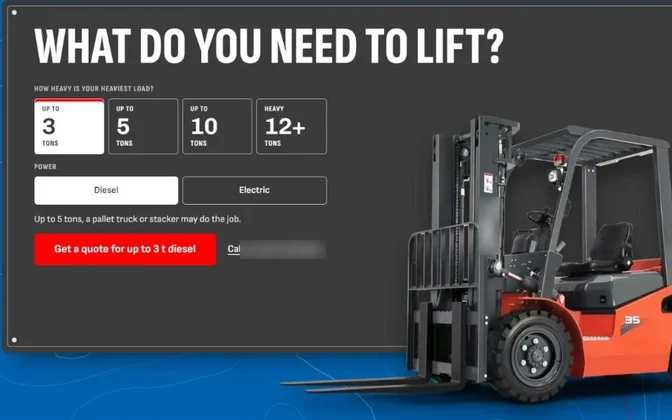
Forklift Lead Desk
Hiring, or have a process to automate?