Lead Router
Reads a new lead’s region and company size, then assigns it: round-robin within two territories, an enterprise override, and a fallback for anything it can’t place. The result is written back to Zoho CRM and posted to the right Slack channel.
All 7 builds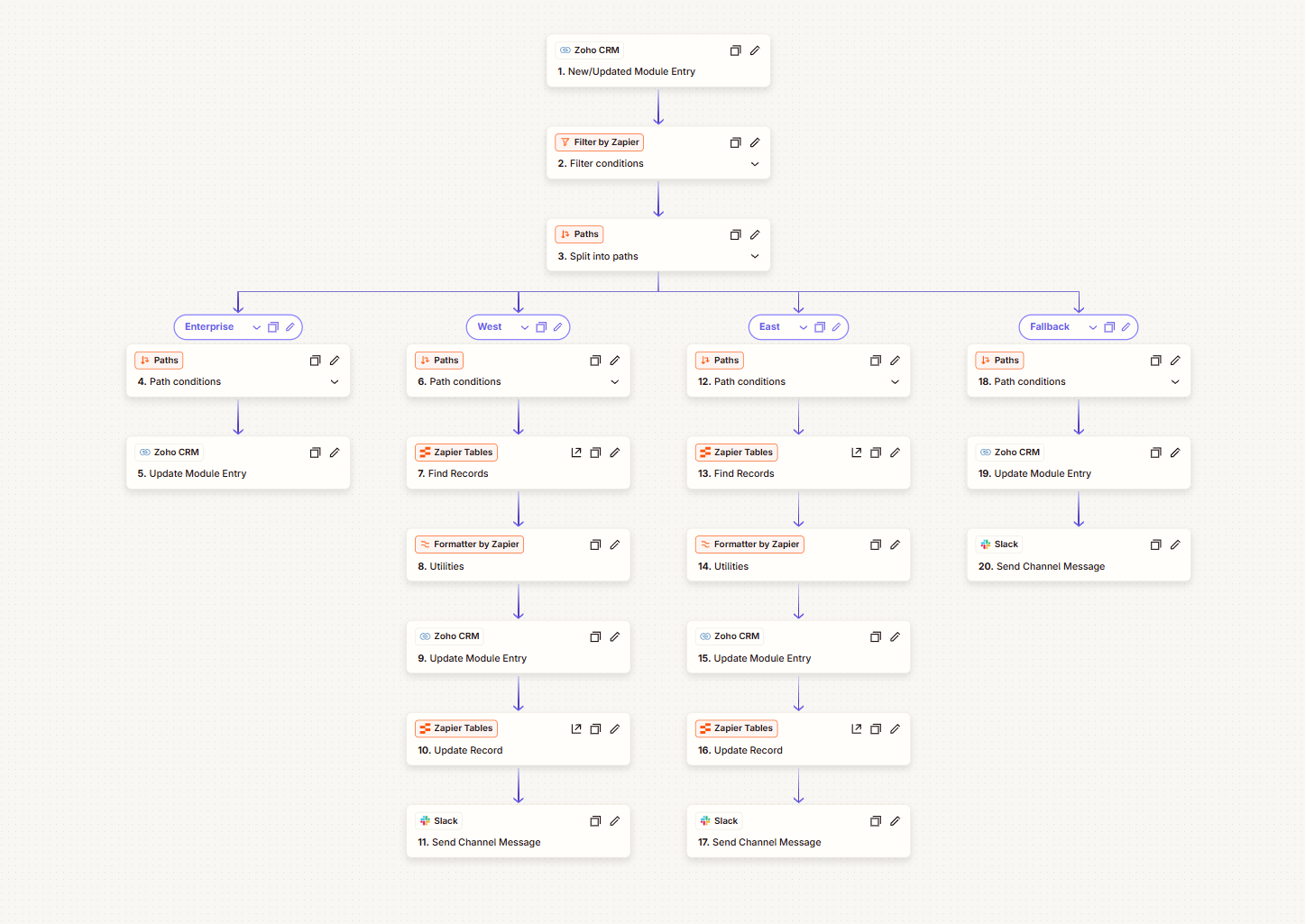
- 4 routes, written so only one can ever match
- 6 live test leads, one per edge case
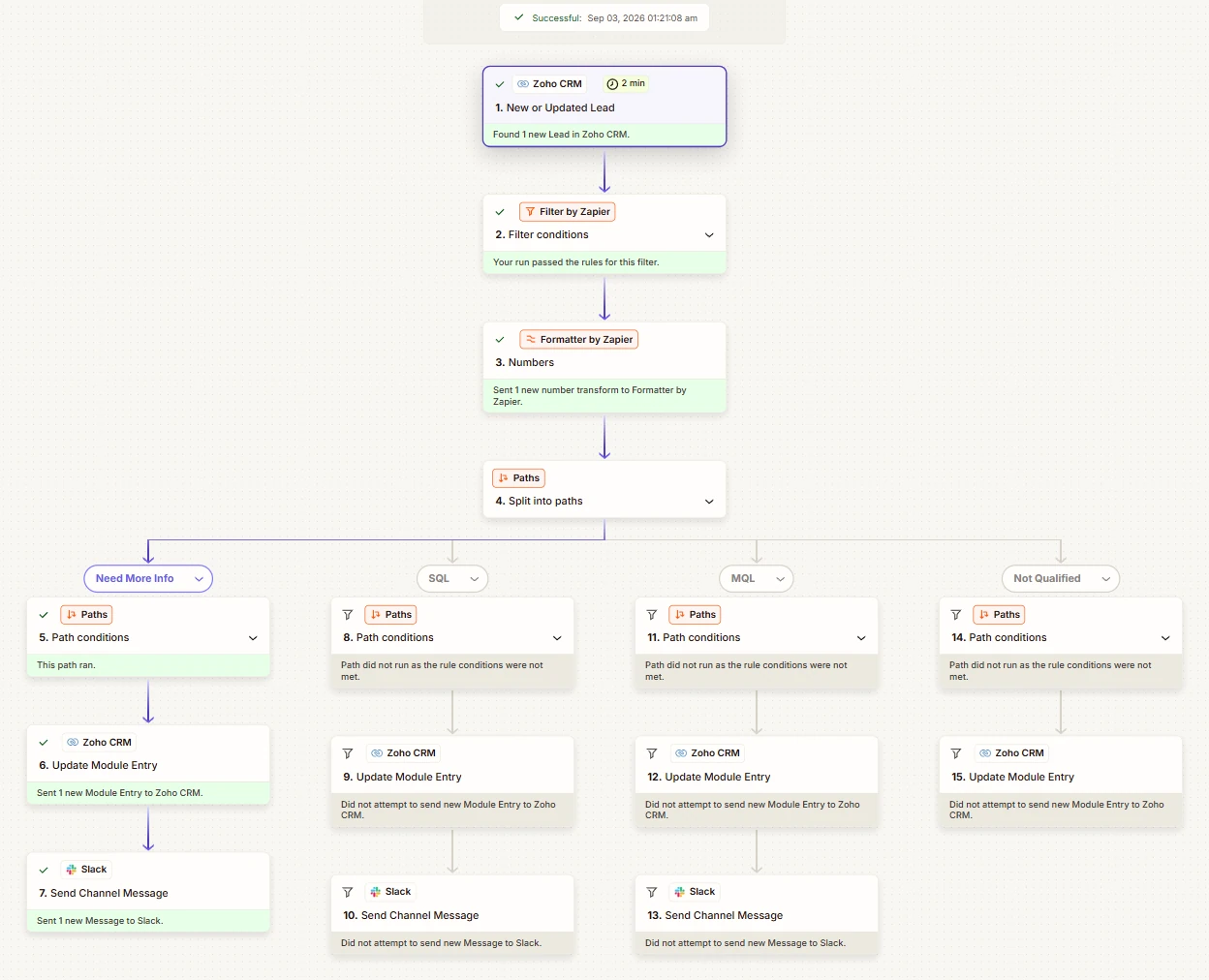
- 21 Zap steps across four branches
The problem
Leads wait while nobody hands them out
When routing is manual, a manager eyeballs a spreadsheet or reps grab whatever is newest. Leads sit, follow-up slows, and busy reps end up with more than their share.
This Zap removes that step. The moment a lead lands in Zoho CRM it reads two fields, Region and No. of Employees, decides who owns the lead, writes that into an Assigned Rep field and notifies the right channel.
The routing
Four paths, no overlaps
| Route | Condition | Assigned to | Slack |
|---|---|---|---|
| Enterprise | More than 1,000 employees, any region | Rep C, every time | #rep-c-enterprise |
| West | Region = West, 1,000 or fewer | Alternates Rep A1 / A2 | #rep-a-leads |
| East | Region = East, 1,000 or fewer | Alternates Rep B1 / B2 | #rep-b-leads |
| Fallback | Any other region, or blank | “Unassigned” | #unassigned-fallback |
Each condition explicitly excludes the others, so overlap is impossible whatever order Zapier evaluates the paths in.
Under the hood
Trigger, guard, split
Live test
Six real leads, one per edge case
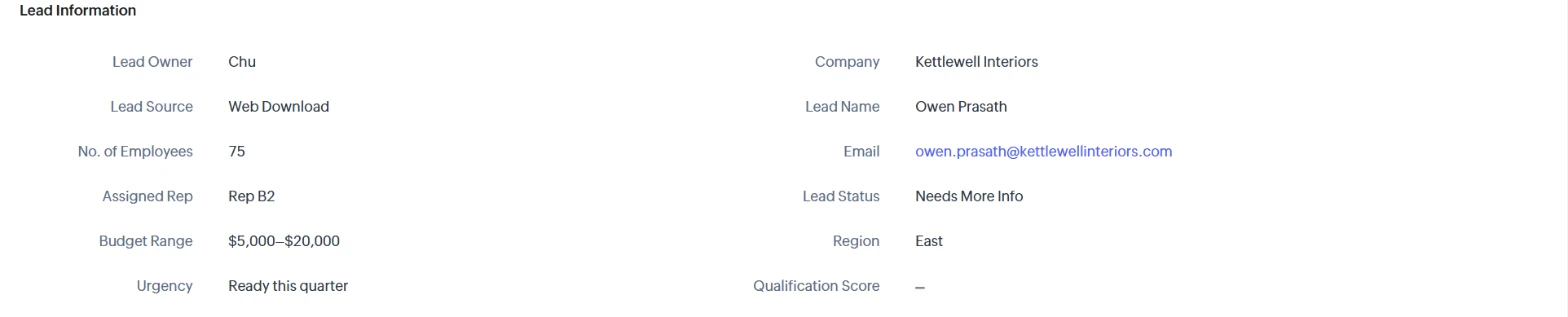
Created one at a time in Zoho’s UI, because bulk imports don’t reliably fire instant triggers. Two per territory prove the rotation persists between runs.
| Case | Lead | Result |
|---|---|---|
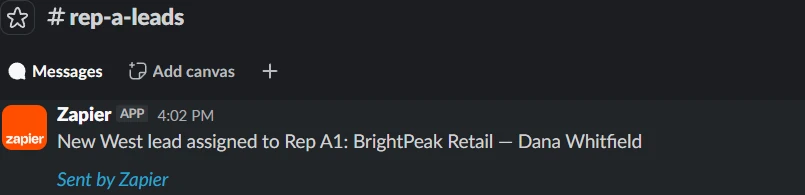
| West, twice | Two West leads | Rep A1, then Rep A2 |
| East, twice | Including Kettlewell Interiors | Rep B1, then Rep B2 |
| Enterprise override | Omnicore Global Industries, 15,000 employees, West | Rep C, regardless of region |
| Fallback | Silverline Ventures, Region “Central” | Unassigned, flagged in Slack |


What broke
What actually tripped me up
A picklist’s options and its stored data are different things
The Region dropdown only offered “option1” and “option2”, even though the imported leads already had West and East stored correctly. The field’s list of choices hadn’t been populated. Editing the picklist fixed it; the data was never broken.
A trigger that watches updates reacts to its own writes
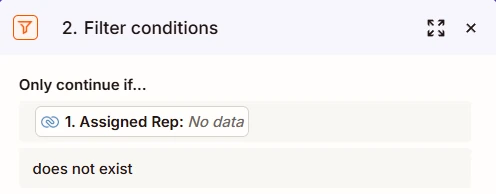
Writing Assigned Rep back onto the lead counts as an update, which the trigger also watches. A filter right after the trigger lets through only leads that haven’t been routed yet.
Every write is a potential trigger.
Round-robin needs memory Zapier doesn’t have
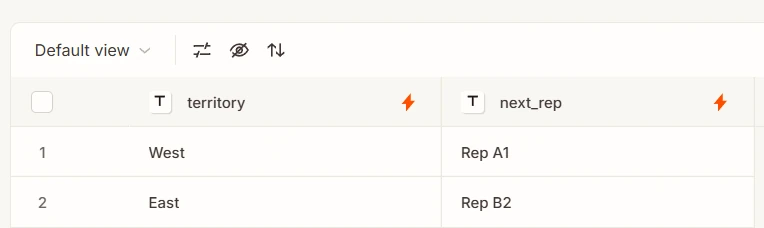
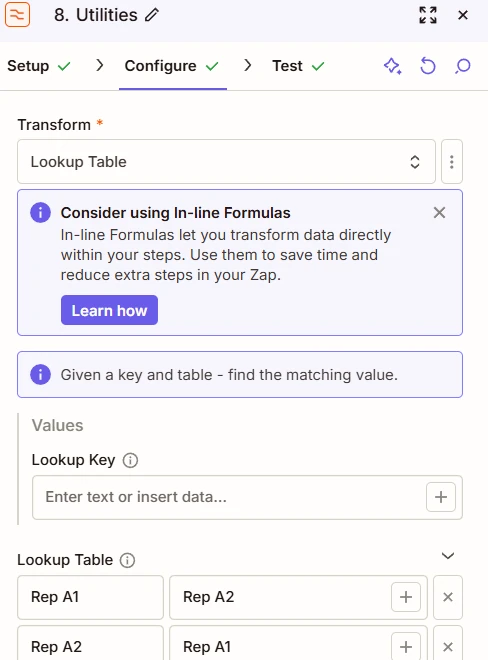
Every run starts fresh. A two-row Zapier Table holds whose turn is next, and each run reads it, uses it, flips it and saves it.
One branch was quietly missing a step
West, East and Fallback each ended with a Slack post. Enterprise didn’t. I caught it while auditing the build for this write-up, not by testing.
Audit the build, not just the results.
Publish silently disabled
The Publish button greyed out with no error until a banner explained the Zap was open in a second tab. Closing the tab fixed it.
Copied text kept its old wording
The East branch’s Slack message said “New West lead”, copied from the West branch. Caught by reading the actual test output.
TaskFlow and every company and person shown are fictional mock data. Built on Zoho CRM Free, Slack and a Zapier Professional trial; the Zaps are switched off now the trial has ended, and every screenshot comes from the real Zapier, Zoho and Slack accounts.
Next build · 02 / 07
Lead Scoring: Marketing → Sales
Hiring, or have a process to automate?