Customer Health & Churn Alerts
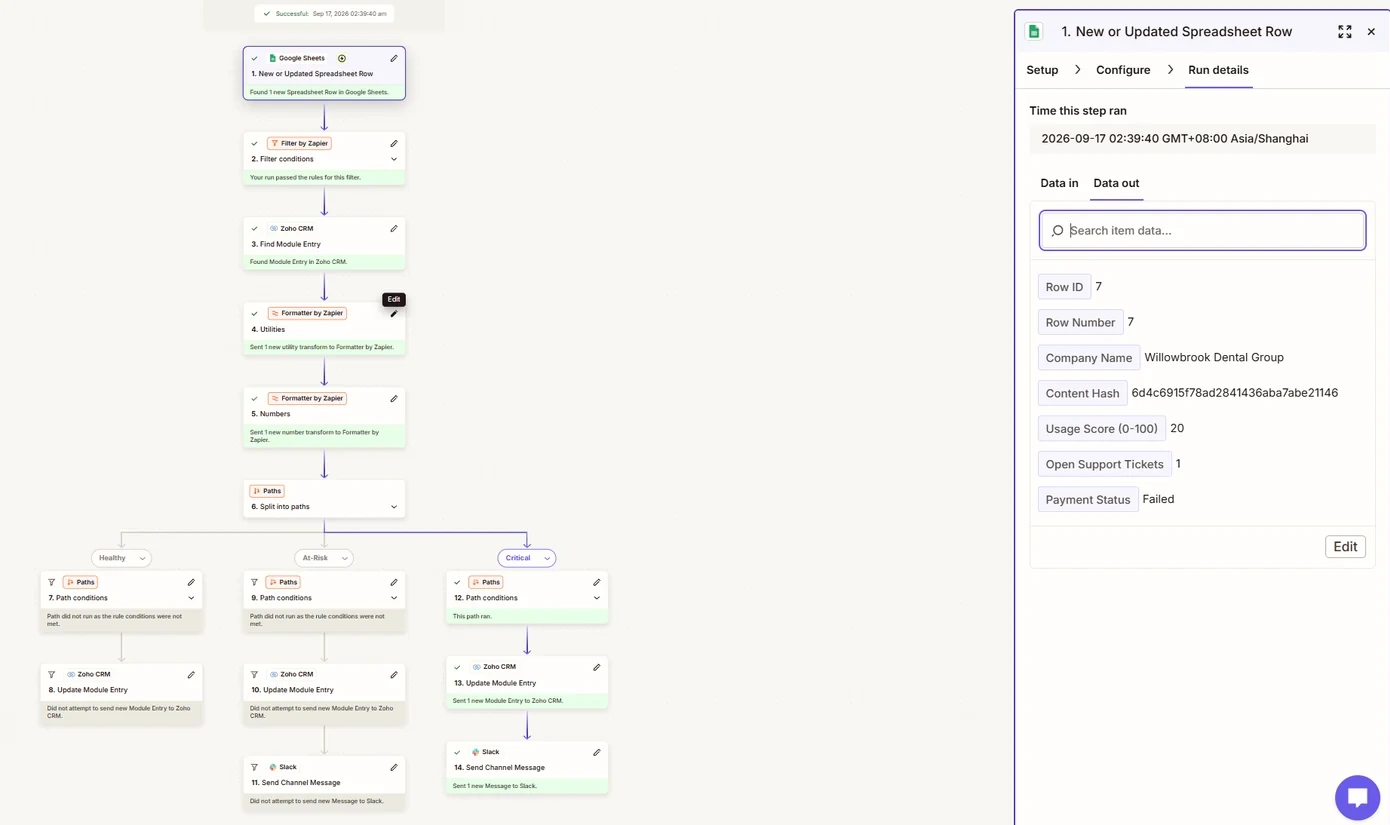
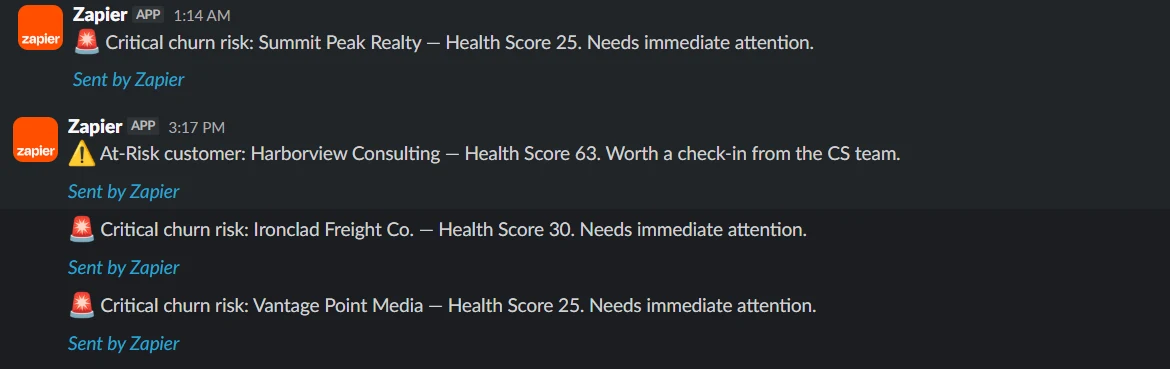
Combines three warning signs, product usage, open support tickets and payment status, into one 0–100 health score per customer. Each account is sorted into Healthy, At-Risk or Critical, written to Zoho CRM, and At-Risk and Critical accounts alert Customer Success in Slack.
All 7 builds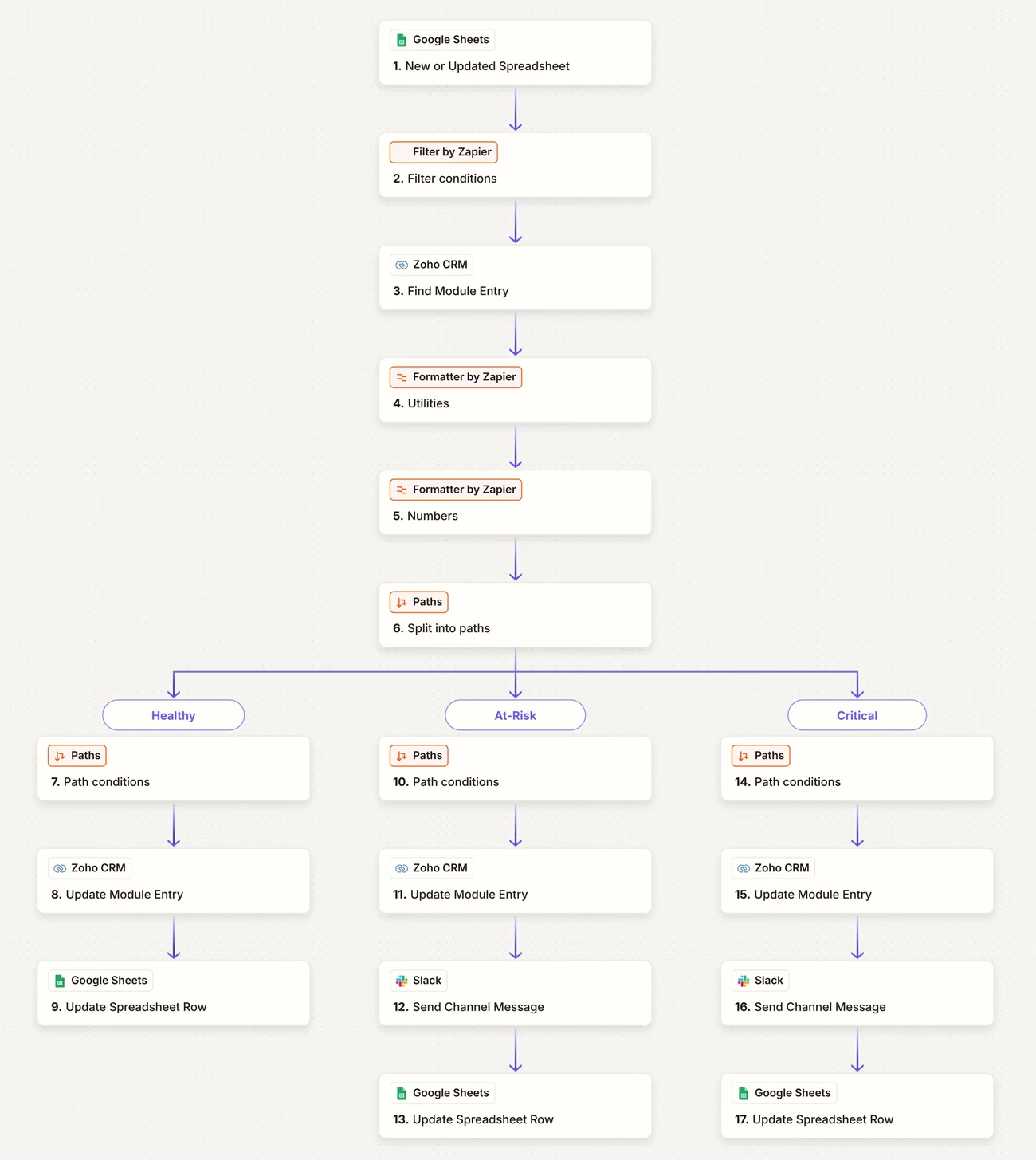
- 12/12 test accounts scored and tiered correctly
- 3 risk tiers, each with its own actions
- 17 Zap steps from one trigger
The problem
Customers rarely announce they’re leaving
The warning signs arrive one at a time, in different places. Usage drops in the product, complaints pile up in support, a card fails in billing. Nobody sees them together until the cancellation email lands.
This works like a checkup for every account: start from how actively they use the product, take points off for each bad sign, and act when the number drops into a risky range.
The score
One formula, three tiers
Health = MAX( Usage − MIN(Tickets × 5, 20) − PaymentPenalty, 0 )
// Payment penalty: Current 0 · Overdue 15 · Failed 30
Usage is the base
It’s the broadest daily signal of whether a customer gets value, so it anchors the score.
Tickets cap at −20
Four open tickets already means real frustration. The cap stops tickets alone driving an account to zero.
Payment hits hardest
A failed payment is one of the strongest churn signals, so it can pull an engaged account into risk on its own.
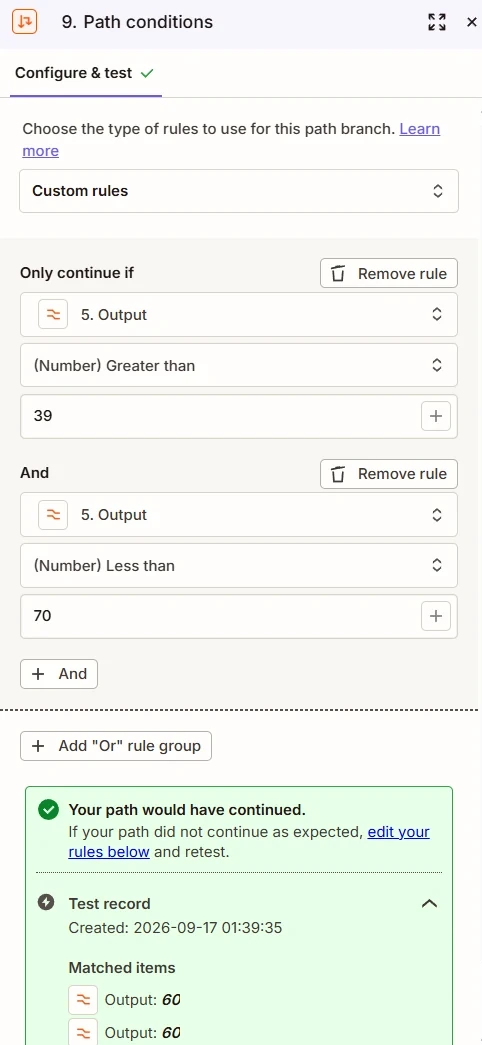
Healthy 70–100 · At-Risk 40–69 · Critical 0–39
Healthy accounts update quietly. At-Risk gets a check-in alert; Critical asks for immediate attention.
Under the hood
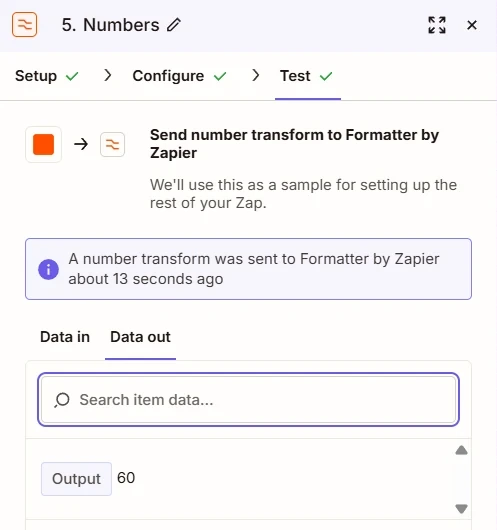
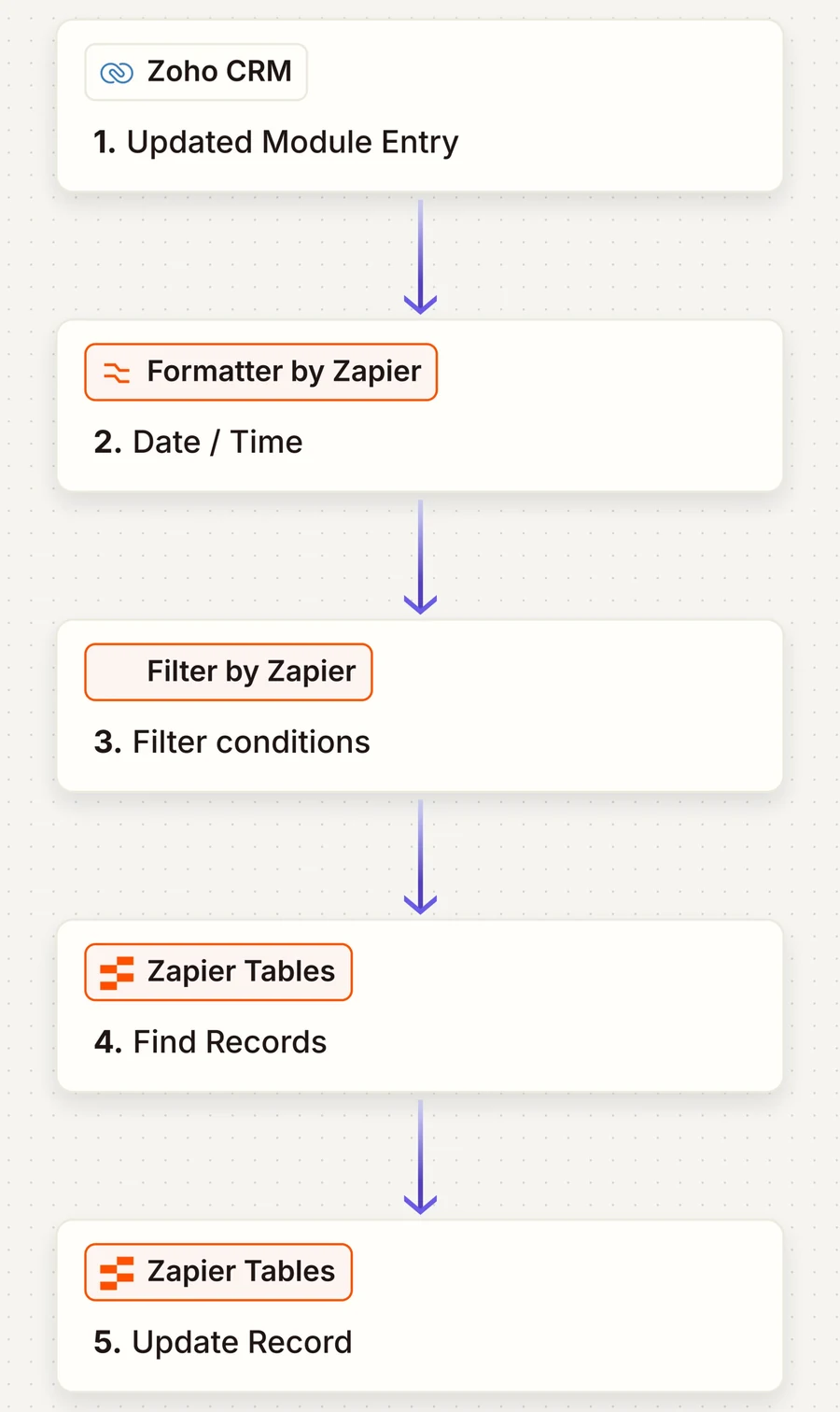
Six shared steps, three branches
CRM setup
Working around a free-plan wall
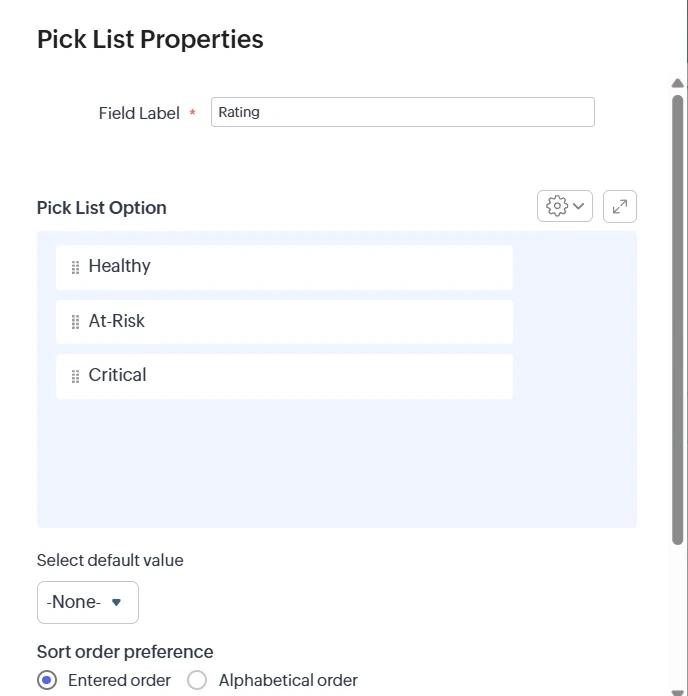
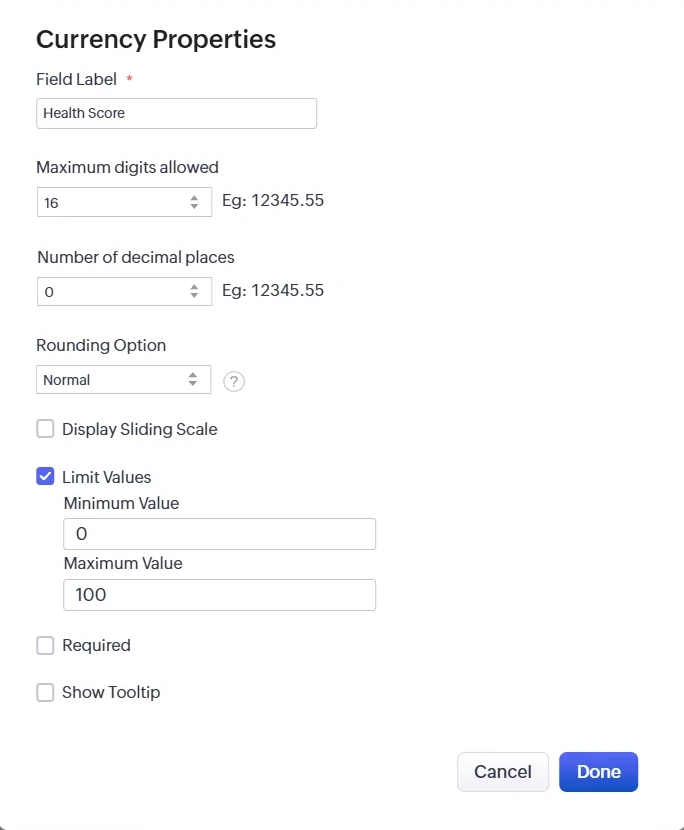
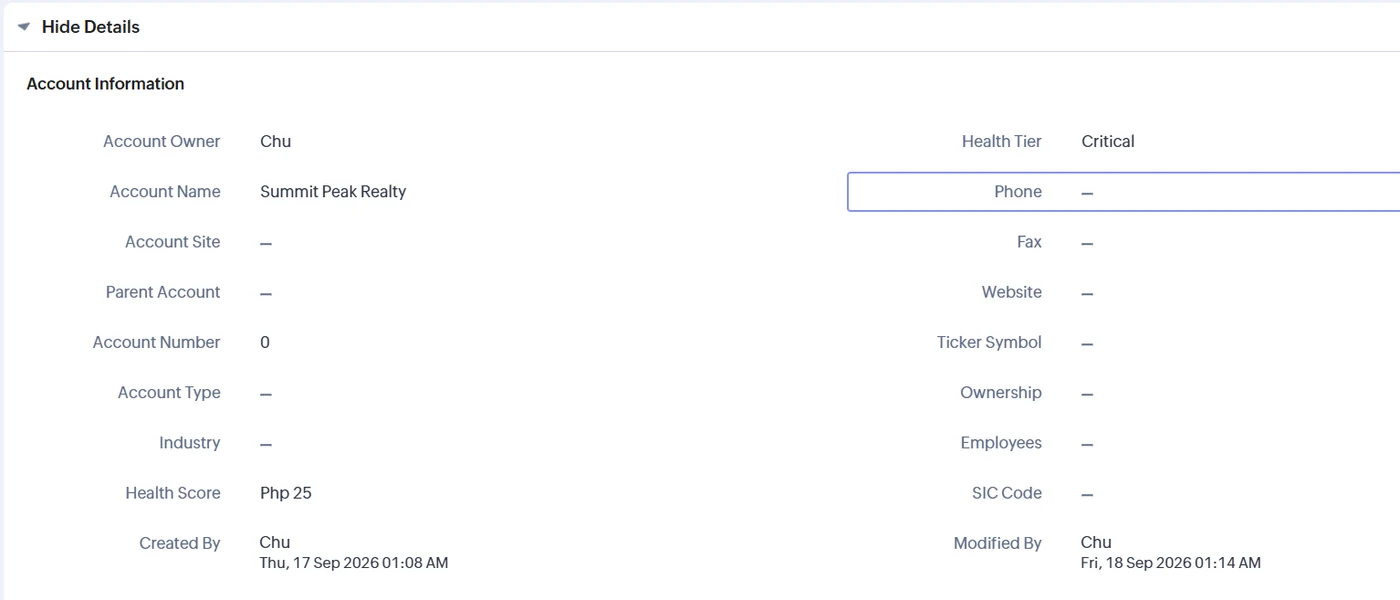
Zoho CRM Free refuses to create custom fields. It does allow editing existing ones, so instead of paying for an upgrade I repurposed three standard fields.
| Original field | Became | Setup |
|---|---|---|
| Rating (picklist) | Health Tier | Values replaced with Healthy / At-Risk / Critical; no default |
| Annual Revenue (currency) | Health Score | 0 decimals, limited to 0–100 |
| Modified Time (system) | Last Updated | Updates on every write automatically |
Live test
Twelve accounts, each chosen to prove something
Several accounts were built to land exactly on a tier boundary, because obvious cases can’t show that the edges work. Four landed in each tier.
What broke
What broke, and how I found out
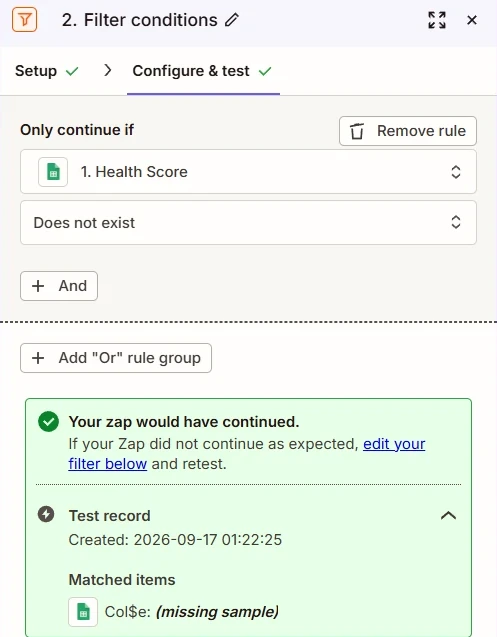
“Blank” and “missing” are different
The loop guard checked for an empty value and failed. A never-filled Sheets cell isn’t sent as empty text; the field is left out entirely. “Does not exist” fixed it.
Read the error’s exact wording.
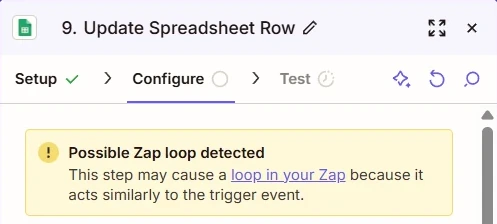
A loop guard that guarded nothing
The first build only wrote to Zoho, never back to the sheet, so the guard always passed and any later edit would have sent duplicate updates and alerts. Writing back to the sheet on every branch made it real. Zapier flagged the pattern too.
A safeguard only counts if something can make it fail.
The trigger that “didn’t fire”
Retyping 90 as 90 isn’t a change. Changing it to 91 fired immediately. I’d also been reading a different Zap’s history.
Confirm which log you’re reading first.
Timestamps hours off
The account timezone was blank, so “current time” used a default. Setting it to Asia/Manila fixed it at the source, and the extra conversion step was deleted.
The test caught my own math
Northline was meant to land on exactly 70 but its values gave 65, and the Zap put it in At-Risk. The Zap was right; my test plan was wrong.
Check the expectation before blaming the system.
Seven of twelve accounts weren’t in the CRM
Comparing names before building found seven missing accounts and one real duplicate. I created the missing ones and documented the duplicate as a risk for name matching.
Known limits
What a production version would change
Scores once per row
To re-score, clear the score cell. Production would compare a stored hash of the inputs.
Matches on company name
Duplicates or typos can hit the wrong account. Production would key on the CRM record ID.
Paid Zapier features
Filter, Paths and multi-step Zaps stop when the trial ends.
TaskFlow and every company and person shown are fictional mock data. Built on Zoho CRM Free, Slack and a Zapier Professional trial; the Zaps are switched off now the trial has ended, and every screenshot comes from the real Zapier, Zoho and Slack accounts.
Next build · 07 / 07
Two-CRM Contact Sync
Hiring, or have a process to automate?